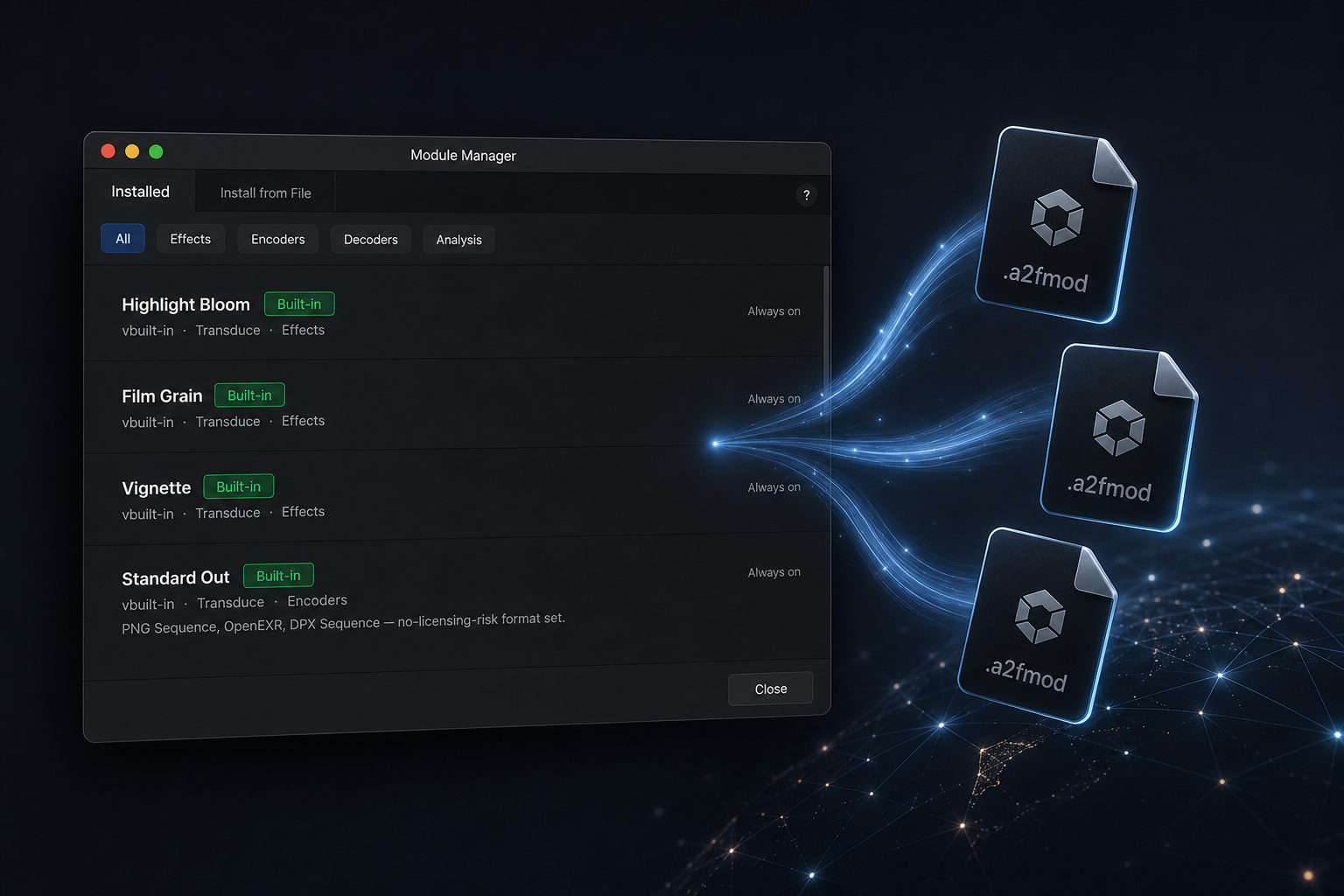
Open design. Transduce is built as containers — not a hard-coded format list. Modules extend decode, encode, effects, and analysis. The Module Hub is where that ecosystem lives.
Capability containers query modules at runtime. Ship a look or a codec as an .a2fmod package; install and manage it through Module Manager / Module Hub. Your module runs beside factory capabilities — same stack, same pipeline stage — without forking the app.
Resize and AI model containers stay internal where the product needs a controlled pipeline. Everything facing formats and looks is meant to grow with authors and the Module Hub.
Four open containers. Effects is the fastest path for most creators; codecs grow the I/O surface.
Discover, install, and trust what you load — without turning Transduce into a closed appliance.
Browse and install modules from the community and authoring ecosystem — finishing looks and formats that travel with the product.
Install from file (.a2fmod), enable, disable, remove. Keep built-ins intact while you trial author packages.
Built-in · Authorized · Community — so studios know what is factory, signed, or user-sideloaded.
Open design. Implement the published container interface, declare a manifest, package as .a2fmod, install through Module Manager — it appears next to factory modules.
| Step | What you do |
|---|---|
| 1 · Interface | Implement Decoder, Encoder, Effects, or Analysis — Effects uses ACEScg float tensors after colour |
| 2 · Manifest | Name, version, author, params, API version — the registry reads this, not hard-coded names |
| 3 · Package | Bundle as .a2fmod and install via Module Manager (⌘M) |
| 4 · Module Hub | Publish through the Module Hub so others can find and install your work |
Use the factory set. Create your own. Share through the Module Hub. Start with the authoring guide.