Two tools in Project Settings — related, not the same. Analyzer forensically reads a trusted reference. Delivery Profile carries that technical spec forward as a reusable file.
Post houses and facilities speak in delivery specs: container, geometry, colour encoding, bit depth. AI generators rarely hand you that rulebook cleanly. Transduce puts both discovery and reuse in one place — without merging them into a single vague “profile button.”
Drop a still or pick a frame from a video. Transduce compares header claims against pixel evidence — especially useful when AI remuxes disagree with their own tags.
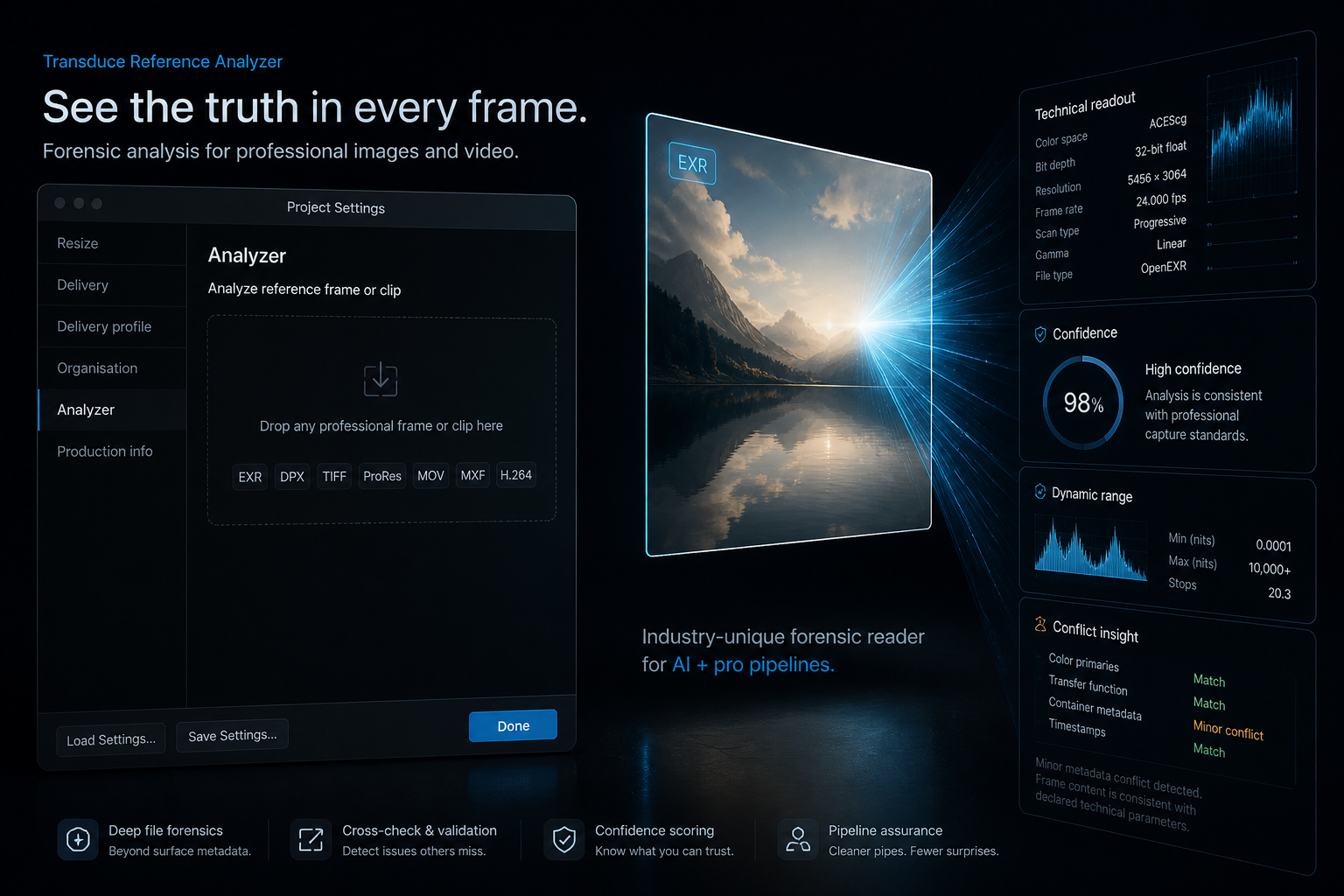
| What Analyzer does | Detail |
|---|---|
| Accepts | Common professional stills and video references — EXR, DPX, TIFF, PNG, ProRes MOV, MXF, H.264 MP4, and more |
| Reads | Technical metadata: format, codec, frame size/rate, PAR, bit depth, transfer, primaries, range, compression — plus EXR/DPX-specific fields when present |
| Checks pixels | Samples a centre crop of the selected frame for value distribution, range behaviour, and linear/log cues |
| Surfaces conflict | Flags when tags and pixel evidence disagree — confidence scored, not silently “fixed” |
| Creates | A proposed Delivery Profile you can apply or save — not a grade, LUT, or full QC report |
Video analyzes one user-selected frame — not every frame of the clip. Analyzer helps surface questionable metadata; it does not certify house acceptance.
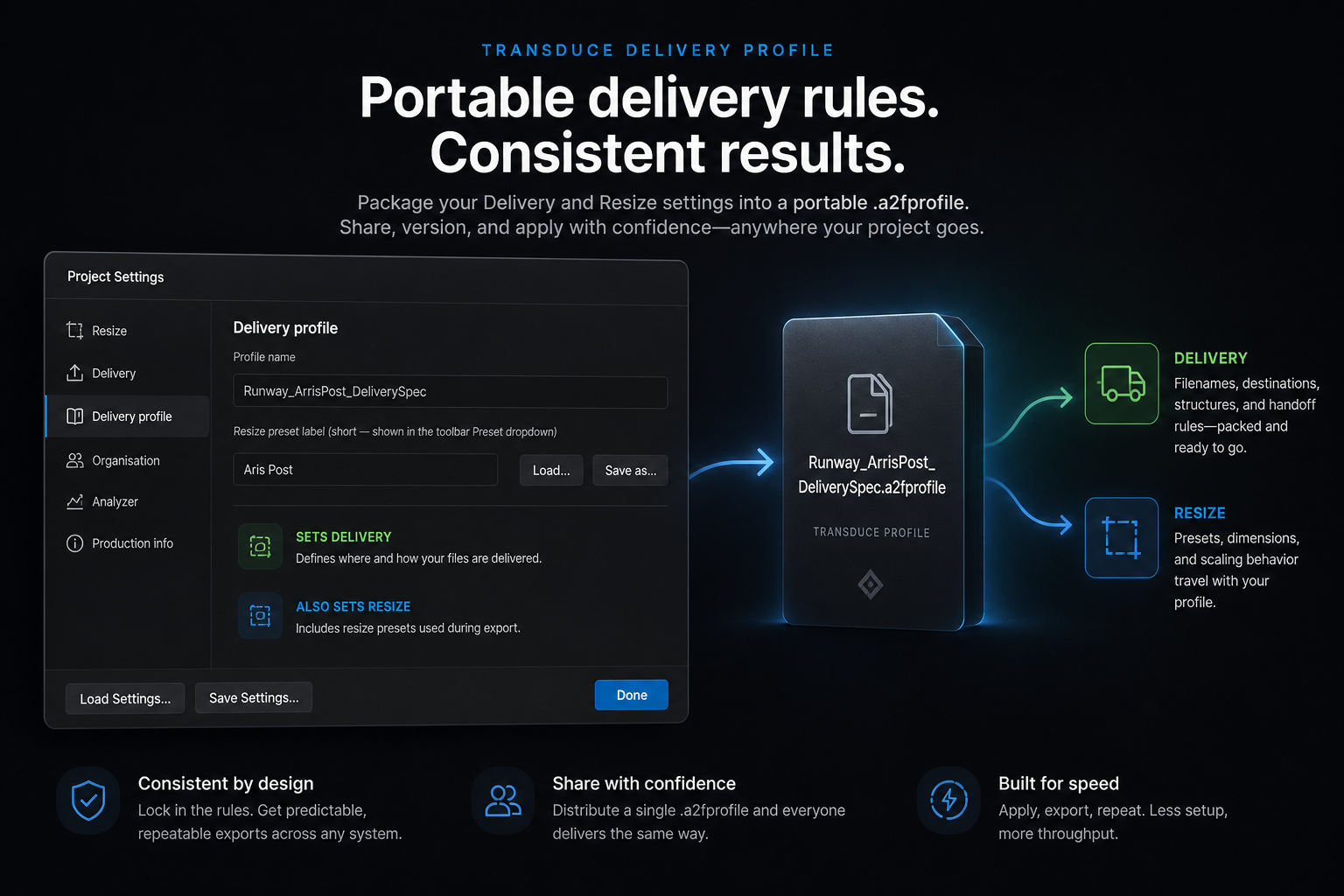
A portable .a2fprofile file: format, codec, geometry, colour encoding targets, and related technical fields — named for your facility.
| What the profile does | Detail |
|---|---|
| Saves / loads | Portable .a2fprofile JSON — take a house spec between projects |
| Sets Delivery | Guides Output Panel format / encoder choices toward the agreed target |
| Also sets Resize | Applies output resolution and pixel aspect into project Resize (with a short preset label for the toolbar) |
| Active indicator | Output Panel shows the active profile and warns when the chosen format diverges — panels stay editable, not hard-locked |
Both live in Project Settings, beside Resize and Delivery — siblings, not duplicates.
| Analyzer | Delivery Profile | |
|---|---|---|
| Job | Inspect one reference frame | Save, load, and apply a technical spec |
| Input | A trusted still or selected video frame | An analysis result or a .a2fprofile file |
| Output | Evidence, confidence, conflicts → proposed profile | Project delivery + resize guided by that profile |
Two tools. One Project Settings window. Delivery targets that survive the night’s batch.